
Assignments behave largely the same but with some new information added.
Left-click an assignment to open it. Editing and the available menu actions depend on your permissions for that assignment.
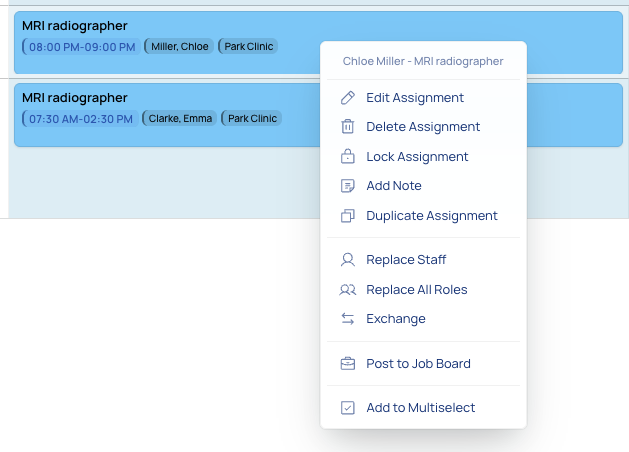
Right click opens a dropdown menu with options including edit, delete, lock/unlock, add note, replace staff, post to job board, and add to selection.
Drag one assignment onto another to exchange the staff assigned to them.
To change an assignment’s date without changing its staff member, open the assignment for editing and change the date.
Hold the left mouse button, drag a card onto the other card, then release it. Both assignments must be published or both unpublished. For two assignments belonging to the same staff member on different dates, the dates are exchanged. With Auto-verify changes on, review the check and confirm the exchange; with it off, the change is applied directly.
When published and unpublished assignments are shown together, published assignments are read-only for editing; your permissions still determine which actions are available.