

In short · Updated
Momentum schedules providers, nurses, medical assistants, front desk and call center staff across health center sites, rural hospitals and clinics. It staffs each site from your rules and flags any site left below its minimum before you publish, lets staff request time off and trade shifts from their phone, and compares clocked hours with each contract for payroll. It schedules your team; it does not book patient appointments or replace your EHR or practice management system.
Why scheduling across clinic sites is hard
A health center runs several sites with one team. Each site needs a provider, nurses, medical assistants and someone at the front desk every hour it is open, and staff move between sites when someone is out. Time off has to be approved without leaving a site short, hours have to match what people are paid for, and the schedule often lives in a mix of spreadsheets and paper.
- Keeping every site staffed with the right mix of roles
- Moving staff between sites when someone is out
- Approving time off without leaving a clinic short
- Matching scheduled and clocked hours for payroll
What Momentum does for a health center
Every site and role in one schedule
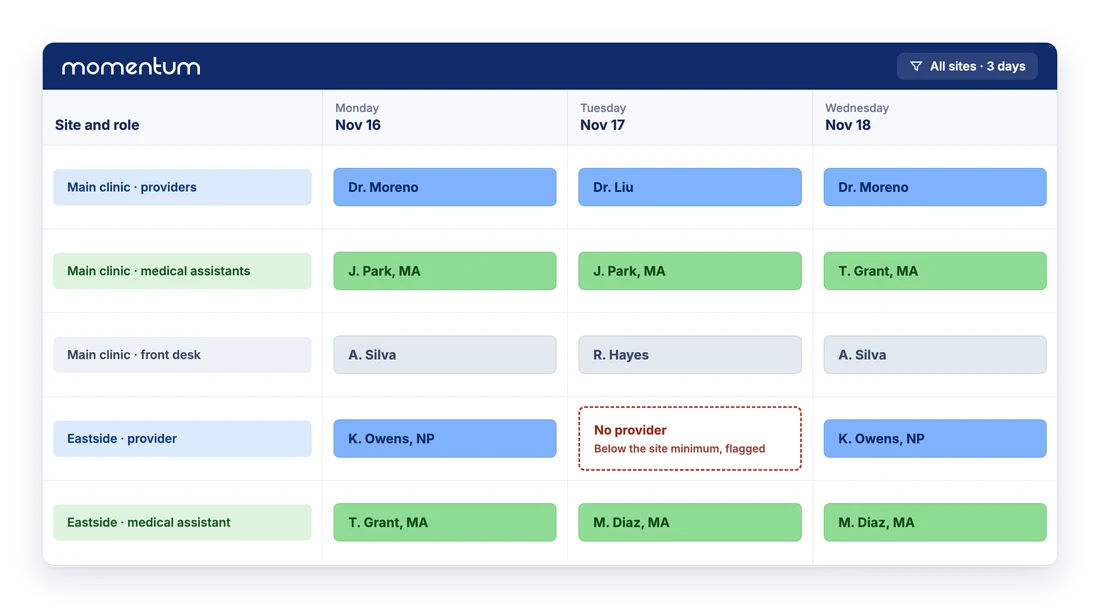
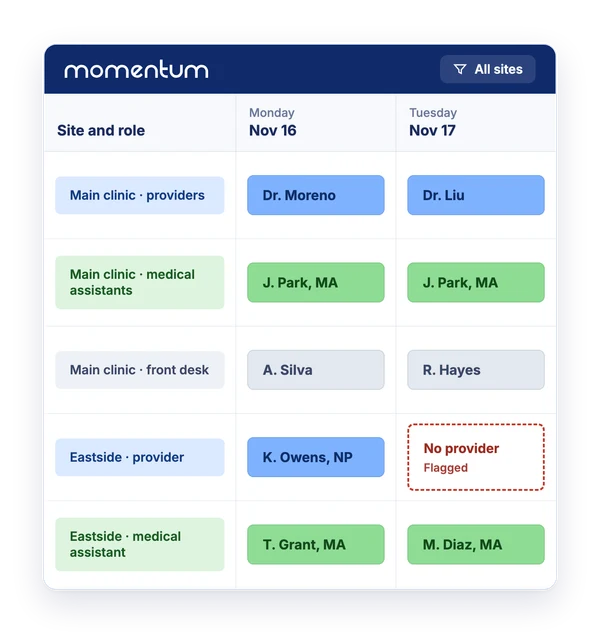
Each site has its own lines for providers, nurses, medical assistants and front desk, with the hours that site is open. Staff are eligible only for the sites and roles you approve, and eligibility can be limited to certain weekdays. A minimum presence per site is set as a rule, and validation flags any day it is not met before you publish.
Satellite and part-time sites can each be a line with their own days, so a provider who covers two sites in a week sees both in one schedule.
Time and attendance and payroll
Staff clock in and out in Momentum, and the hours count report compares worked and clocked hours with each contract. Each pay period is reconciled before payroll exports carry the totals on. Overtime policies attached to contracts value the hours beyond them; they are switched on with your rollout. Time and attendance is included from the Plus plan.
Time off that does not leave a site short
Staff request time off from the app or the web. When you approve a request, Momentum lists the shifts it conflicts with and lets you clear or keep each one, so you see who has to be replaced before you say yes.
Accrual, carry-over and expiry rules live in time-off policies, switched on with your rollout, and staff can see their balances in the app when your organization turns that on.
Swaps, open shifts and a mobile app for everyone
Staff see their schedule in the mobile app, offline included, and request gives, takes and swaps that an administrator approves. Open shifts can go to the job board, where eligible staff bid. Notifications go by email, in-app message or mobile, as each person sets them.
Where Momentum fits
Momentum schedules your team. It does not book patient appointments, manage provider templates in your practice management system or replace your EHR, and it holds no patient data. It does not track licenses or credentials. Around the schedule, Momentum adds Outlook calendars, Microsoft sign-in and file or SFTP imports.
Health centers and clinics already schedule with Momentum
A community health center, rural hospitals and clinics, and multi-site clinic networks in the United States and Canada build their schedules in Momentum. In all, more than 250 healthcare organizations use Momentum across more than 1,000 sites in nine countries.
Frequently asked questions
Does Momentum book patient appointments?
No. Momentum schedules your staff: who works at which site, in which role, and when. Patient appointments and provider templates stay in your EHR or practice management system. Momentum holds scheduling data only, no patient records.
Can Momentum schedule non-clinical staff too?
Yes. Providers, nurses, medical assistants, front desk, call center and other staff share one schedule, each team with its own contracts and rules.
Does Momentum include time clocking?
Yes, from the Plus plan. Staff clock in and out in Momentum, the hours count report compares clocked hours with each contract, and payroll exports carry the reconciled totals on.
Can staff request time off from their phone?
Yes. They send requests from the mobile app or the web, and when you approve one, Momentum lists the shifts it conflicts with so you can clear or keep each one.
How long does it take to get started?
Each rollout includes setting up your rules, importing your current schedule, connecting the systems you need and training your schedulers. Depending on scope, going live takes from a few days for the lightest setups to a few months for a multi-site group.
What does Momentum cost?
Plans start at USD 5.99 per user per month. Time and attendance is included from the Plus plan and scheduling across several sites from the Pro plan; the pricing page lists what each plan includes.