
Changelog
🗓️ Momentum 4.8: approvals that clear conflicts, Cmd+K, overtime and time-off policies
Delivered in weekly releases from 1 September to 27 October 2026. Switched on with you: overtime policies, time-off carry-over and expiry, the balances page and balances in the mobile app are switched on instance by instance. Ask your customer success contact to turn them on for your organization.
✨ New
- Approving a request now shows the work it conflicts with: for each conflicting assignment, choose to clear it or keep it before the approval goes through. See the guide.
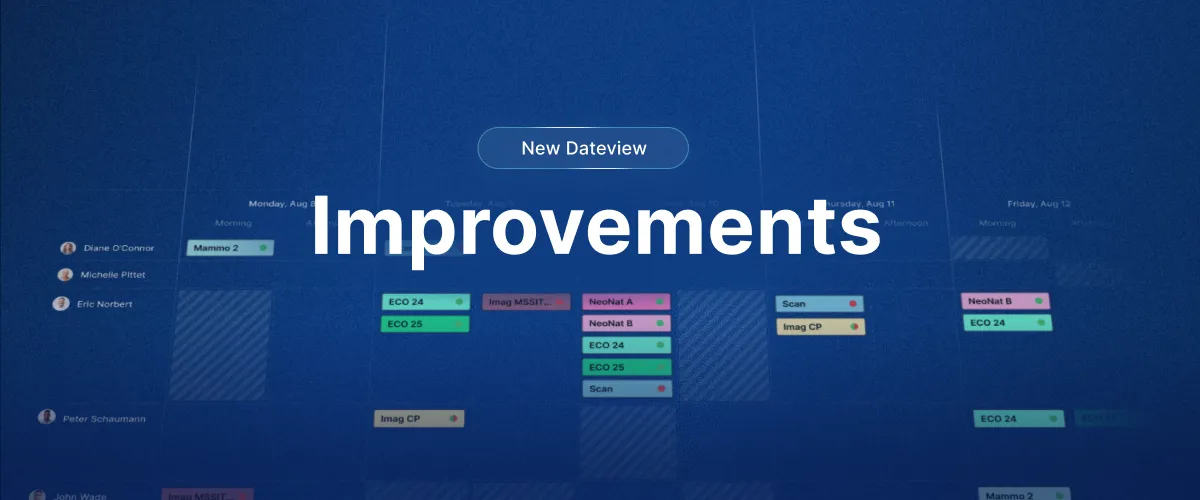
- Requests, assignments, or both: a switch in the date view’s bottom bar shows requests on their own, assignments on their own, or both together. See the guide.
- Find any page with Cmd+K or Ctrl+K: type a few letters to open any menu page, Classic pages included.
- Import open shifts: assignment imports, from the import page or by SFTP, accept rows without a staff member.
- Balances in the mobile app: staff see what time off they have left and until when, how each balance was built, and their time-in-lieu balance with each pay period’s planned and clocked hours. Off by default; your organization decides.
- Overtime policies: hours beyond the contract are valued by a policy you attach to contract terms, and pay-period reconciliation prices overtime through it. Existing overtime bands move into policies, and copying a contract keeps them. See the guide.
- Carry unused time off into the next cycle: each time-off rule now says how much carries over (none, all, or up to an amount) and when time off expires (a number of days, weeks, months or years after it was granted, or never). Every grant expires on its own date. See the guide.
- See carried, expired and expiring time off on the request calendar, the request pages, the time-off summary, the personal sheet and the request dialog, instead of a single figure.
- Time-off balances over time: a new page under Reports, next to the time-off summary, charts each balance from the first work period to today and projects it forward, with expiries and amounts held back by the carry-over cap marked. Staff see their own; managers pick a person. See the guide.
- Preview a rule while you edit it: the policy editor shows how the amount, the carry-over cap and the expiry play out for a sample staff member, as you type.
💎 Improvements
- Validation has its own place in the date view instead of sitting in the filter panel. See the guide.
- The request type filter lists every type, in your language.
- Large schedules load without timing out.
- Swaps: pick the other person’s date beyond 14 days and see the date you picked, including a day on which you have no assignment yourself.
🪲 Fixes
- Mobile app: schedules no longer appear empty for some users, the notification badge counts only unread notifications, the Submit request button on Android responds on the first tap, and notes show only to the people allowed to see them.
- A note added to a request in the mobile app now shows in the web app, and a request’s history shows while it is still pending.
- Change-request notifications reach both the staff member and the admins.
- Assignment reminders run again on the few instances where they had stopped, and notifications keep working when a notification setting covers several hundred roles.
- Publishing from the new date view no longer fails, and the read-only month view groups again from the day header menu.
- Validation keeps assignments you have not saved yet, and reports every policy across the whole period checked.
- Export to PDF fits on one page again, and Excel and PDF export by shift work.
- Typing an hourly accrual in the policy editor stores hours, not minutes.
- Times show in the format of your language, the clocking settings page opens again, the email editor is styled again, and a half-typed date no longer raises an error.
- In the duplication tool, the number of copies can be typed directly.
- Security: sign-out now ends every session, guest display links are read-only, and notes and requests are checked against their owner in every app and API.
🗓️ Time-off policies, pre-approved requests, faster builds

Rolled out in stages from 17 August and to all European instances on 25 August 2026, followed by smaller releases on 26 August and 1 September. Progressive rollout: time-off policies, pre-approval of requests and requests in the date view are being switched on instance by instance, most active instances first, and are not active everywhere yet. If you do not see them, they are on their way. Tell your customer success contact if you want to be early.
✨ New
- Time-off Policy Center: accrual rules live in one place instead of being yearly only, and a contract term can use several policies, for example annual leave, sick leave and seniority days. Existing yearly accruals migrate into one policy per contract term. Progressive rollout, not on every instance yet.
- Pre-approve requests: mark a set of requests as pre-approved, run a test build to check coverage, then approve for good or roll back. Staff are only notified at final approval. Progressive rollout, not on every instance yet.
- Requests in the date view: show pending requests next to the assignments they affect, following the active filter. Progressive rollout, not on every instance yet.
- Counts in the date view: a “Show counts” display option shows how many assignments, or points, a day or a group holds, in both layouts and under any grouping.
- Unstaffed shifts on the timeline: the timeline view can now show the shifts that still need someone.
- Swaps complete without a second approval when the person accepting already holds the “Change requests: approve/deny” permission. Mobile app first; the web requests page follows.
- Pending requests keep their submission order, with a new Created column to sort on.
- Admins are notified when someone is removed from an already published assignment.
💎 Improvements
- The classic scheduler builds about 58 times faster: 43 minutes down to 45 seconds on our reference customer build.
- Identical builds give identical schedules. Where a template had several identical lines for the same role, the order in which they were filled is now fixed.
- Large bulk edits complete instead of failing halfway: shifting 200 assignments now takes 6 database round trips instead of 324.
- Hover cards on the scheduling grid are readable: larger text, wider cards, comments that wrap.
- Saved filters open on the date range you saved.
- Support can see why a sign-in failed, so access issues are solved in one exchange.
- Mobile app updates reach a small group first, then everyone.
🪲 Fixes
- Hours count and time-off values: the modern counting engine now reproduces the previous one exactly. Before switching, we checked it against every existing time-off summary figure: zero differences. Overlapping work periods no longer flip between screens, and the hours count details popup no longer errors.
- Approving or pre-approving a request twice no longer duplicates its days on the schedule, and staff no longer receive two notifications.
- The date-view totals row counts pre-approved requests.
- Bulk publish from the new date view no longer fails outright: rows that cannot be published are skipped, the rest go through.
- Publishing an empty layer publishes nothing, instead of every layer.
- Publish and unpublish work from multiselect and bulk edit.
- Requests submitted from the mobile app now create a notification and a history log entry.
- Admin notifications respect their checkboxes, and deleted-role notifications carry their full details.
- Posting an unassigned shift to the job board no longer interrupts other notifications.
- Roles can be deleted after a job board bid was approved.
- Staff can see public notes on the classic date view again, day notes included.
- The staff dropdown is alphabetical again, role group separation lines are visible again, and list view columns match Momentum Classic.
- Excel export no longer shows an error dialog, scheduled SFTP exports contain everything a manual run contains, and calendar export works again.
- Assignments created from approved requests now reach connected external calendars such as Outlook.
- Cancelling the forgot-to-clock prompt no longer deletes an earlier punch.
- Assignment validation stops when it times out instead of running on for minutes.
- Activation links handle a second click, and staff with long passwords can sign in again.
- A bulk edit that fails now says so and keeps your selection.
📱 A new Momentum mobile app

The Momentum mobile app has been rebuilt from scratch on the modern Momentum platform. Same account, same sign-in, a faster and cleaner app. It replaces the previous app on iOS and Android, and is available in the App Store and on Google Play.
✨ New
- Today, at a glance: your next shift and what is happening now, first thing on screen.
- Sign in with Face ID or fingerprint, and one-tap Microsoft sign-in where your organisation uses it. Other identity providers are supported through SAML.
- Offline access: your schedule stays available without a connection, stored encrypted on the device.
- Faster push notifications on iOS and Android.
- Dark mode, and five languages: French, English, German, Dutch and Italian.
💎 Everything you had, still there
- Day, week, month and agenda views, for you and for your team.
- Give, swap, take, post and bid on shifts, and the job board.
- Time-off and preference requests, with notifications.
- Multi-site accounts and password change.
🪲 Improvements since launch (July to September)
- Submitted requests show in your list, and custom hours for requests work on iPhone.
- Assignments without a visit are visible again, and your web filters carry over to the app.
- Android: filter rows respond to taps, and long lists scroll inside their panel.
- iOS: the notifications page opens reliably, and the team schedule search bar is back.
- Week view shows the week number and the role name, and night shifts are no longer cut off.
- Sent requests show the role, the year and the colour code, and can be deleted.
- Preference requests offer periodicity and free date selection again.
- The Call staff button is back, and Face ID is asked less often when you return to the app.
- Editing a preference request no longer fails silently.
- Updates now reach a small group first, then everyone.
🧱 New foundations

Momentum 4.6 is the release you were meant to barely notice. Underneath, 250,000 lines of legacy code were converted to a modern language, and new capabilities can now be switched on for one instance at a time instead of for everyone at once. That is what made the new mobile app and the 4.7 features possible.
✨ New
- Per-instance switches: new capabilities can be turned on instance by instance, so we can roll them out in stages and with you.
- The new mobile app ships alongside this release. It has its own entry below.
🪲 Fixes
- Building a schedule by layer from the new date view works again.
- The new date view respects the “View display filter panel” privilege.
- The note export is back in request management.
- Cloning a schedule never duplicates time-off, and staff are unassigned when a duplicate lands on a time-off day.
- Default filter and contract copy work as expected.
🩹 Follow-up fixes over the summer
- June: setup pages (security groups, work patterns, contracts, role groups, staff groups, quick links) save correctly again; time clock popup sign-in and offline custom time; creating an assignment from the classic date view.
- July: sorting totals in reports; clocking details in the hours count; the Duplicate entry is back in the classic date view menu.
- August: single and bulk duplication over time-off; assignments created by requests can be published, with a confirmation; day notes show only for their location; other people’s time-off shows in the new date view; publishing from the build window works on ranges that contain a day off; the assignment history log is complete.
- September: contract terms display correctly on instances where time-off policies were just switched on; the “New site” popup.
🩹 4.5.1 patch
A small patch on top of 4.5, released to all instances on 20 May 2026.
💎 Improvements
- Contract terms use clearer labels.
- Creating and editing assignments no longer requires the publish privilege, matching Momentum Classic.
- List view exports use the same file layout as before: a Name column, standard date and hours formatting, no stray columns.
🪲 Fixes
- Overlapping time-off is no longer counted twice.
- Notifications reach the right recipients.
- Some filter combinations no longer return an error.
- Staff lists never abbreviate names, whatever the display settings.
🛠️ Fixes and improvements
✨ New
- Distinct Work and Time-off counters: In each contract term, time-off days can now be designated separately and on top of the existing working hours set for each week-day. This allows Momentum and its reports to deduct time-offs independently from the number of hours set for that day.
💎 Improvements (new Momentum)
- Auto-width mode: Enable auto-width in order to wrap header texts and make each column take as little space as necessary (look for the 📏 button on the right-hand side below the date-grid).
- Empty & Required assignments are now highlighted in red (or the color set in your Company’s general settings).
- Clearer context menu when right-clicking assignments. “Replace Staff” and “Replace All Roles” are now easier to perform, lists are filtered by Candidates and sub-menus more accessible.
- Disabling Highlighted borders now fully removes borders around assignments (see Filters → Display settings → Show Highlight Colors).
- Smart cloning: Duplicate a schedule at recurring intervals (Pattern mode) using Days as the time unit.
- Default landing page can now also be set to a new date view schedule.
- Overall performance has been improved with faster loading times and increased consistency with Momentum Classic.
🪲 Recent Fixes
- Fixed assignments overlapping midnight not displaying in the proper Shift section
- Excel exports now respect the currently open schedule filter
- Fixed a case where filtering on a Role-Layer would list Roles not part of that Layer
- Building and publishing a single layer is now possible again
- Fixed notifications not always being triggered when publishing schedules
- Fixed a case where assignment history logs were not being updated
Major Scheduling, Analytics and Performance Improvements
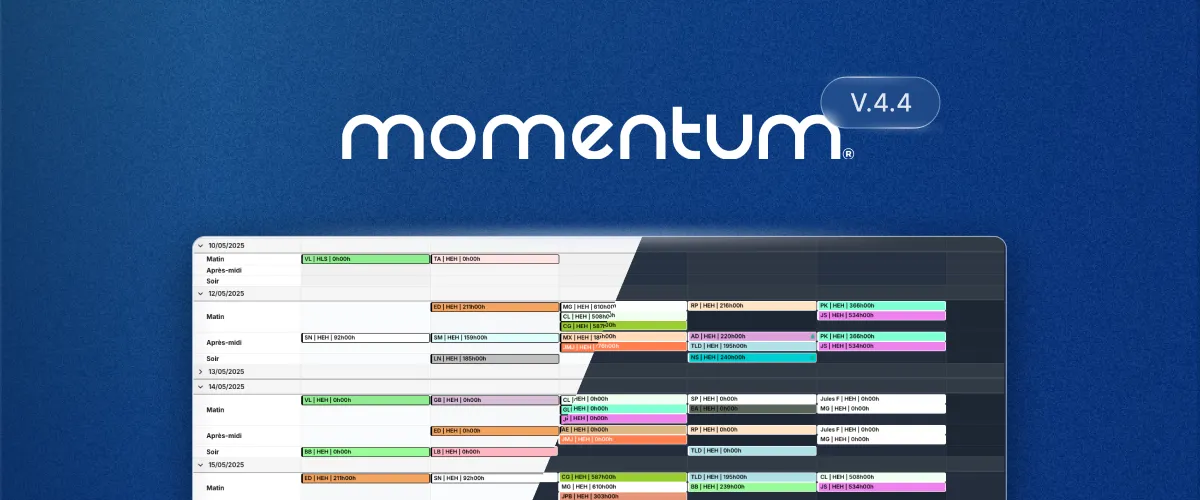
This release focuses on the new Momentum application introduced in 2025 and includes an overall layout simplification with clearer access to primary actions, making your schedules easier to interact with.
Instant Analytics are now available directly on all schedules removing the need to export data or to create custom reports. A new Timeline view has been added, specifically designed for high-volume schedules where visibility into coverage density matters.
Momentum Classic remains available as the default when you login. You can access the new version from the top menu in Scheduling → View schedule → Date View (new).
✨ UI and Usability Enhancements
- Dark mode: Choose between light, dark or let the UI follow your system preference.
- Quick-search: Instantly highlights assignments on screen as you type.
- Fast assignment creation: Right-click any cell in the schedule to create a new assignment. Assignment fields are now automatically pre-filled based on context and active filters (date, role, staff, location).
- Row/Column Multi-Select: Select entire rows or columns of assignments for faster bulk editing.
- Multi-Select: Publish or unpublish assignments individually or in bulk.
- Shift View: New layout options for alternative schedule visualization.
- Keyboard Shortcuts: Faster navigation and actions for power-users, for example:
•Nto create an assignment
•Fto edit filters
•Ctrl + Kto quick-search (⌘ + Kon Mac)
🕐 Timeline View
- Hour-by-hour visualization of assignment coverage
- Gaps and overlaps highlighting for quick identification
- Multi-timezone viewing to easily manage teams distributed accross multiple timezones.
📊 Instant Analytics Dashboard
- Real-time operational insights based on the current filters and schedule view.
- Heatmap: Visual representation of assignment density.
- Distribution graph: Understand how assignments are distributed accross roles, staffs and hours.
- Key metrics including average hours, total cost, and unfilled assignments.
💎 Performance Improvements
- Increase of the number of assignments that can be viewed at once (previous hard cap removed).
- Faster loading time and UI refreshes throughout the application, especially for large datasets.
- Improved large schedules loading and navigation.
📱 Mobile App update
We’ve given the Momentum mobile app a quick coat of paint along with a few background improvements.
- Landing page with a new agenda view to easily scroll through assignments
- Month view: Assignments are now shown inline
- Updated dark blue theme
- General Ul fixes
Smart-cloning and multi-select
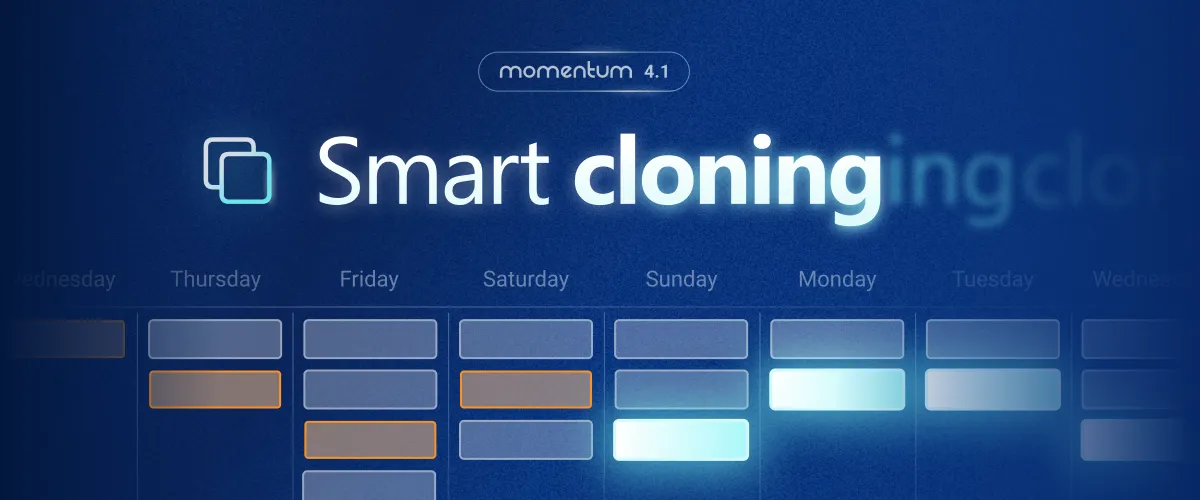
To reduce time spent editing assignments we’re introducing new ways to add and edit in bulk along with a powerfull cloning assistant. Staff and role lists are now also filtered to the current view when editing an assignment.
📝 Bulk editing and cloning
- Select multiple assignments at once using either
Ctrl + ClickorCtrl + Ato select all visible assignments. - Apply changes in bulk: Lock/Unlock, reassign staff or change dates at once for all selected assignments.
- Smart-cloning: duplicated selected assignments to specific date, once or on a recurring pattern (e.g. weekly, monthly, ..)
- Smart-cloning: choose how assignments are duplicated and which attributes should be kept or overriden.
Display per Shift
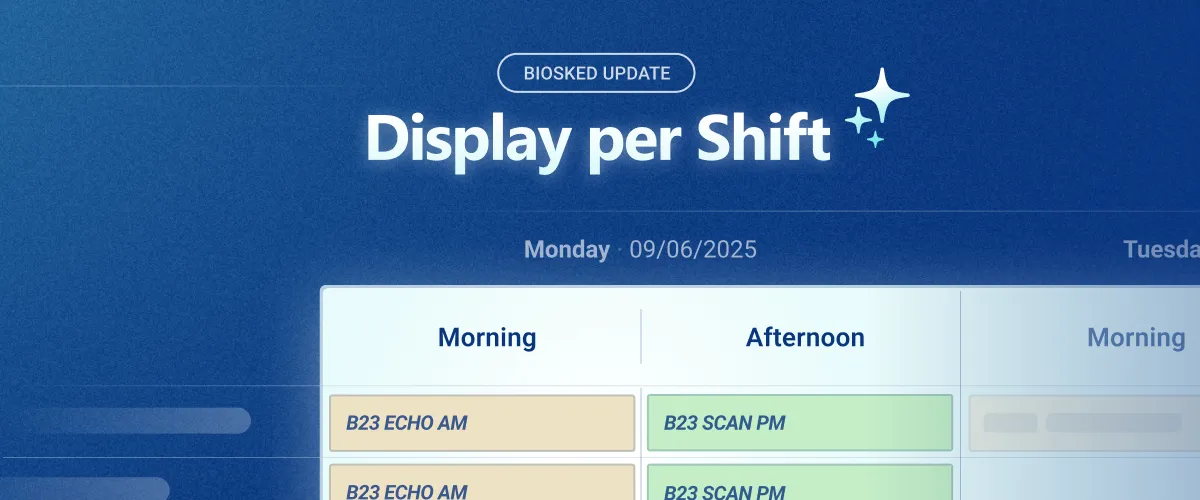
You can now schedule and group assignments using Shifts: Morning, Afternoon, Night, etc. Shifts let you divide each day into familiar time blocks in the date view, making schedules easier to read and more in tune with your organization.
- New Shift-view display option
- Custom shifts settings to divide days into 2 or more groups
Momentum 4 is here!
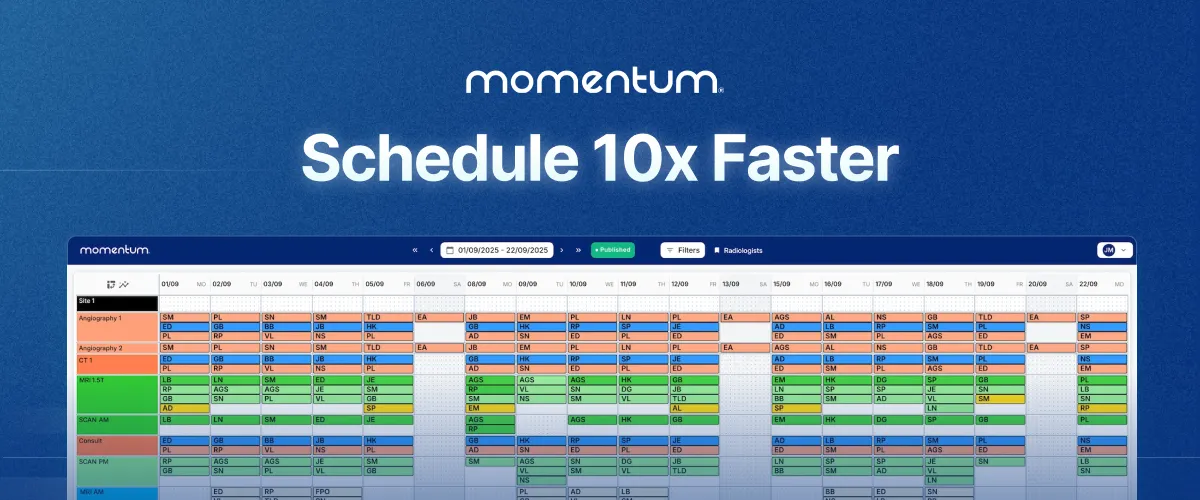
Major release: Introducing a new front-end application built for speed and reactivity with a fully revamped Date-view.