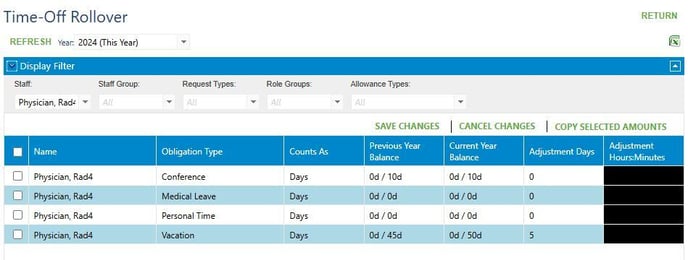
Go to Setup > Staff Setup > Time Off Rollover
Filter for the provider under Staff. If there are numerous time off roles filter for the role under Request Types.
Choose the year being adjusted.
Click on Refresh.
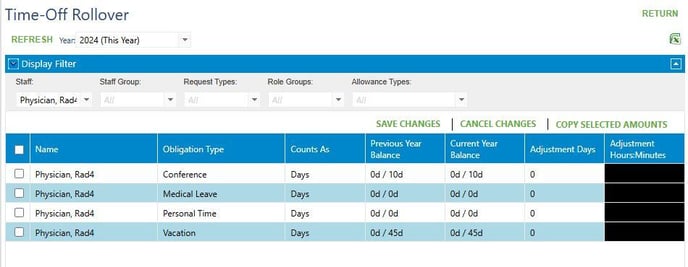
Add the number of days being adjusted under Adjustment Days. Negative numbers will not work, only positive numbers will work.
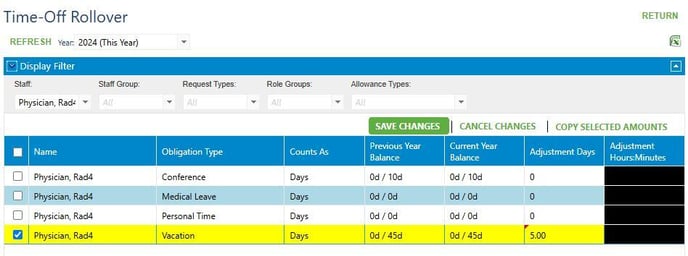
Click on SAVE CHANGES.
The number of adjusted days will stay in the column.
This takes approximately 5-10 minutes to update. Do not adjust.
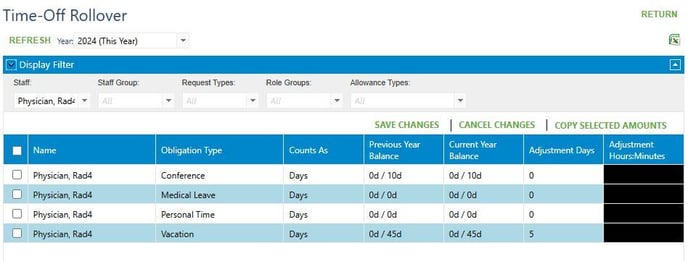
Once the table refreshes the Current Year Balance will reflect the adjusted days.