Go to on Scheduling > Staff Requests > Request Calendar
Navigate the date range required using the calendar start and end date pop-ups.
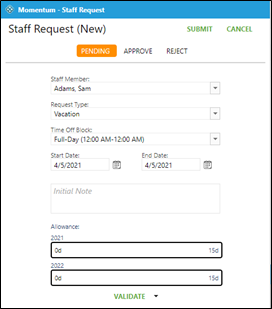
Click on the green plus sign on the first day of the request.
Choose Add Request.
Click on the Request Type drop down and choose either time off role, work on specific dates or don’t work on specific dates (choose scrolling or typing to narrow list).
Choose End Date if request if for more than one day.
Click on Submit.