
Go to Setup > Calendar Setup > Fiscal Periods
Click on Add Fiscal Period(s).
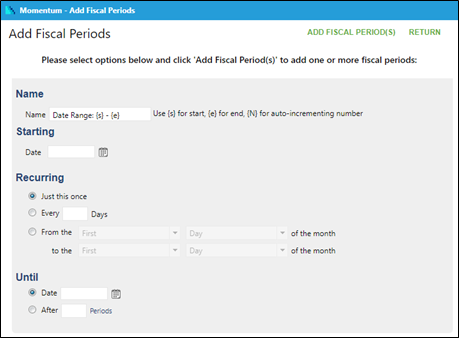
Enter name of period.
Enter start date.
If recurring, enter either number of days or start/end time frame (monthly, quarterly, yearly).
Enter end date.
Click on Add Fiscal Period(s) to save.